Mac · iPhone · iPad · Android
A modern, secure, beautiful, and simple authenticator. No account, no server. Your codes stay encrypted on your devices.
Free and open source · macOS 14 or later · Apple silicon
Features
The everyday features, done right.
-
Add accounts any way
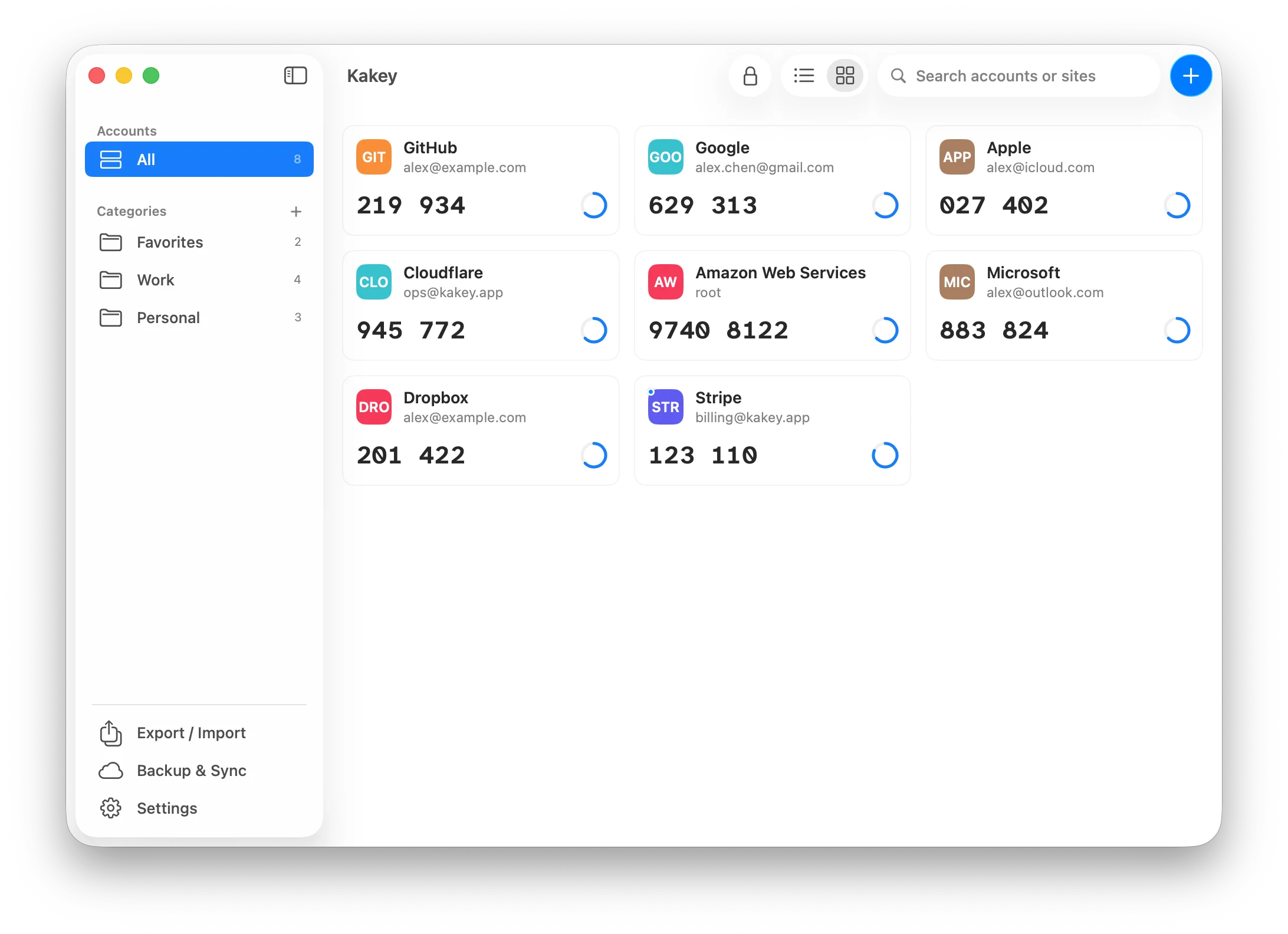
Scan with the camera, read a QR code from an image or a screen selection, paste an otpauth link, or type a secret by hand.
-
Move over from Google Authenticator
Combine several migration QR codes in one go, and import plain or encrypted Authenticator backups.
-
Search and organize
Search by service or account, sort accounts into categories (one account can be in several), drag to reorder, and export a single account as a QR code.
-
Locks itself
The vault locks after idle time and whenever the device locks. Repeated wrong passwords add a delay, and showing a secret asks for your identity again.
-
Standard codes
RFC 6238 TOTP with SHA-1, SHA-256, or SHA-512 and 6 or 8 digits, a countdown ring, and one click or tap to copy.
-
Conflicts and recovery
If two devices change the vault at once, review the differences and keep either copy or merge both. A damaged vault is restored from the last good copy on Mac, iPhone, and iPad.
Menu bar
Find your saved 2FA accounts right from the menu bar
Find accounts quickly in the menu bar panel and click to copy a code to the clipboard. Shortcuts cover scanning a QR code on screen to add a 2FA account, filtering by category, and more.
- ⌘⌥ZOpen the menu bar panel
- ⌘⌥XOpen the main window
- ⌘⌥AScan a QR code on screen to add an account

Security
Encrypted on your device, and everywhere it goes.
Kakey is built on standard, well-studied cryptography, and its full security model is published with the source code.
-
01
Local vault
Encrypted, on your device
Accounts, secrets, and categories live in a single encrypted vault on the device. Plaintext exists only in memory while the vault is unlocked, and there is no Kakey server that could ever receive it.
-
02
AES-256-GCM · Argon2id
Strong, standard cryptography
AES-256-GCM authenticated encryption, with the key derived from your master password by Argon2id (RFC 9106, 64 MiB, 3 passes). Every vault has its own random salt and nonce, and a tampered file is rejected.
-
03
Secure Enclave · Keystore
Biometric unlock
Touch ID, Face ID, or Android strong biometrics only release a vault key sealed by the Secure Enclave, Keychain, or Keystore. The master password is never stored, and showing a secret or exporting a QR code asks again.
-
04
Own password
Encrypted import and export
Export files are encrypted with a password of their own, held to the same strength rules as the master password, and open on every platform. Nothing is imported until the file passes authentication.
-
05
Ciphertext only
Encrypted third-party backups
iCloud, Dropbox, OneDrive, Google Drive, WebDAV, Nextcloud, or a synced folder only ever hold the encrypted vault, the device name, and a time. The provider can't read your accounts, and a backup opens only with your password.
Backup and sync
Sync securely, through the storage you trust
Kakey works with a range of cloud storage services. Turn on backup and your accounts sync encrypted across all your devices, ready on your phone and your computer.
 iCloud
 Dropbox
 OneDrive
 Google Drive
 Nextcloud
- WebDAV
- Any synced folder
Every device
Kakey runs on the devices you already use
Native apps for Mac, iPhone, iPad, and Android share one encryption core and one data format. A vault or export created on any platform opens on the others with the same password. The app speaks English, Simplified Chinese, and Traditional Chinese.

